Minesweeper Game Guide: Overview & Rules
💣 Minesweeper became popular in its time thanks to its inclusion in Microsoft operating systems in the 1990s. It's important to note that Minesweeper didn't originate from Windows, and its history extends beyond that platform. But thanks to Windows, Minesweeper became so beloved by its audience.
Windows was very widespread in the whole world at that time, and there were always plenty of people who enjoyed playing a simple game. However, after Windows 7, Minesweeper was no longer included with this operating system. It can now be installed separately; there are numerous Minesweeper offerings for various devices and operating systems. You can also play Minesweeper online through your browser—and anyone who wants to play Minesweeper can do so easily on this page too.
💥 Features of our game
- 🚀 Play instantly: No downloads, installations, or compulsory registrations are required here.
- 🆓 100% Free: Just open the page and start playing on any device. No one can miss the button to play.
- 👤 Single player: There is no multiplayer in the game now. It's impossible to play together, competing to complete the game sooner than a rival.
🎯 How to Play & Game Rules
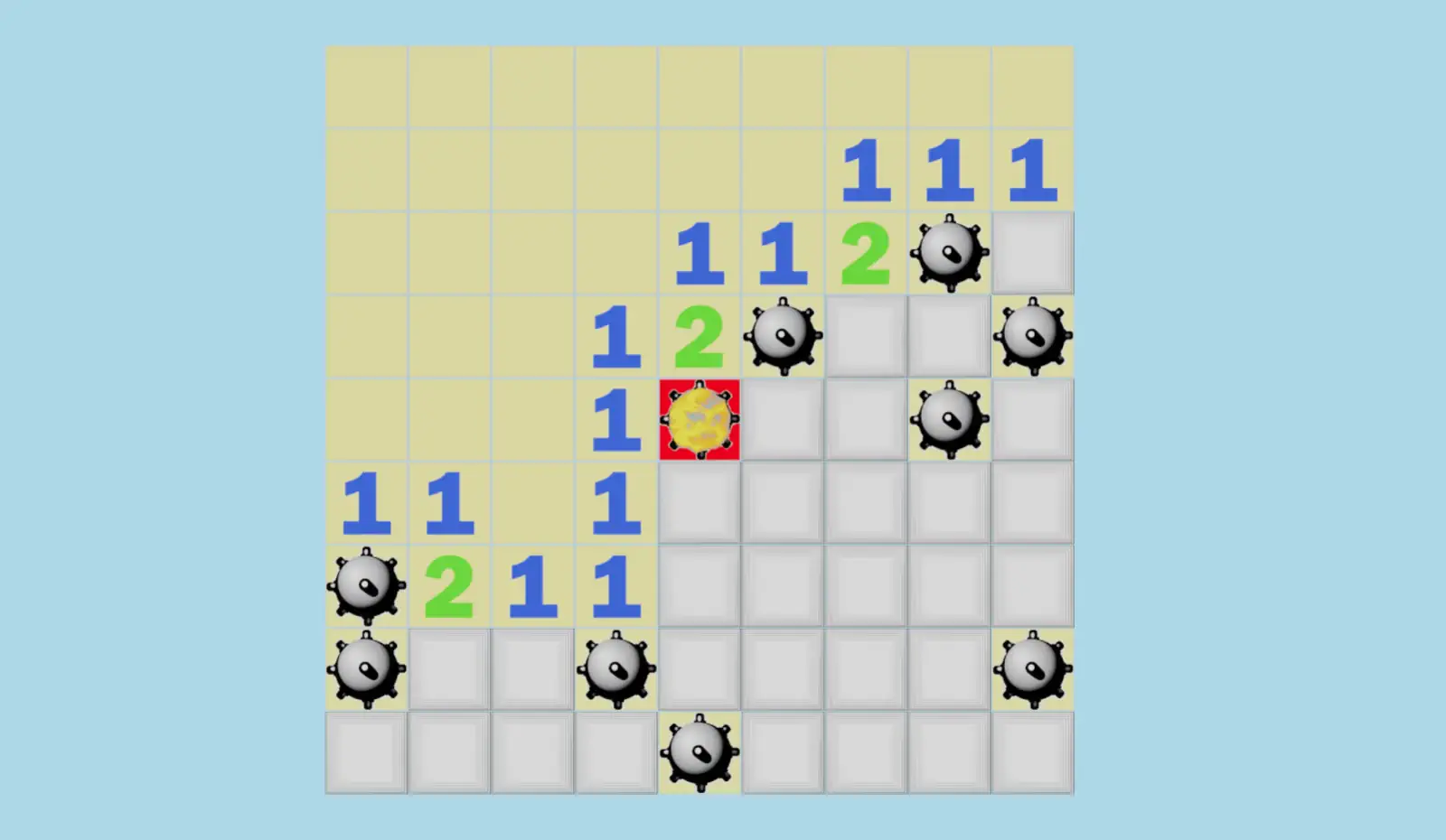
The game begins with a grid of closed cells. You have to open the cells and mark some of them with flags. Without opening, the flag implies that there is a mine in the cell.
- Numbers as clues: Opening a safe cell displays a number showing how many mines are surrounding it.
- Winning condition: Correctly identify and mark every single mine on the field to win.
- Losing condition: Clicking on a cell with a hidden mine causes an explosion, and the game is lost.
The goal is to gradually uncover the mine-free cells and mark those that contain mines with flags. Opening a cell within a mine causes an explosion, and after the game is finished with a fail, you will be able to see where all of the hidden mines were. Flags must not be placed on cells that are free of mines. You may take off the flags from any of the cells to open them or mark them again.
🕹️ Game Controls (PC & Mobile)
We optimized the controls to make your browser gaming experience smooth and easy:
- 🖱️ On PC (Mouse): Left-click to open a cell. Right-click to place a flag.
- 📱 On Mobile (Touchscreen): Quick tap to open a cell. Long press (hold) to place a flag.
- ⚡ Quick Clear: Clicking on a previously opened number cell will automatically open all its adjacent cells. Make sure you flagged the mines first!
📊 Difficulty Levels & Game Modes
Choose the challenge that fits your skill level. The core game logic remains identical for all versions:
- Beginner: The simplest grid with fewer mines. Perfect for learning the logic.
- Intermediate: A bigger board for experienced players.
- Expert: A hard mode where clues might not be enough, forcing you to make tactical guesses.
- Custom: Create your own board! Customize the grid size and the total number of mines.
💯 Similarity
The browser-based HTML5 Minesweeper offered on this page is similar to the latest versions of Windows Minesweeper. The number of unmarked mines and those remaining to be marked is shown above the game board during gameplay, and there's nothing special to describe separately—those who played Minesweeper on Windows will experience a game like the one on that platform.